Publishing
Publishing produces a zip: your story, the engine, and a browser client in one folder, ready to upload somewhere or hand to someone.
Publish
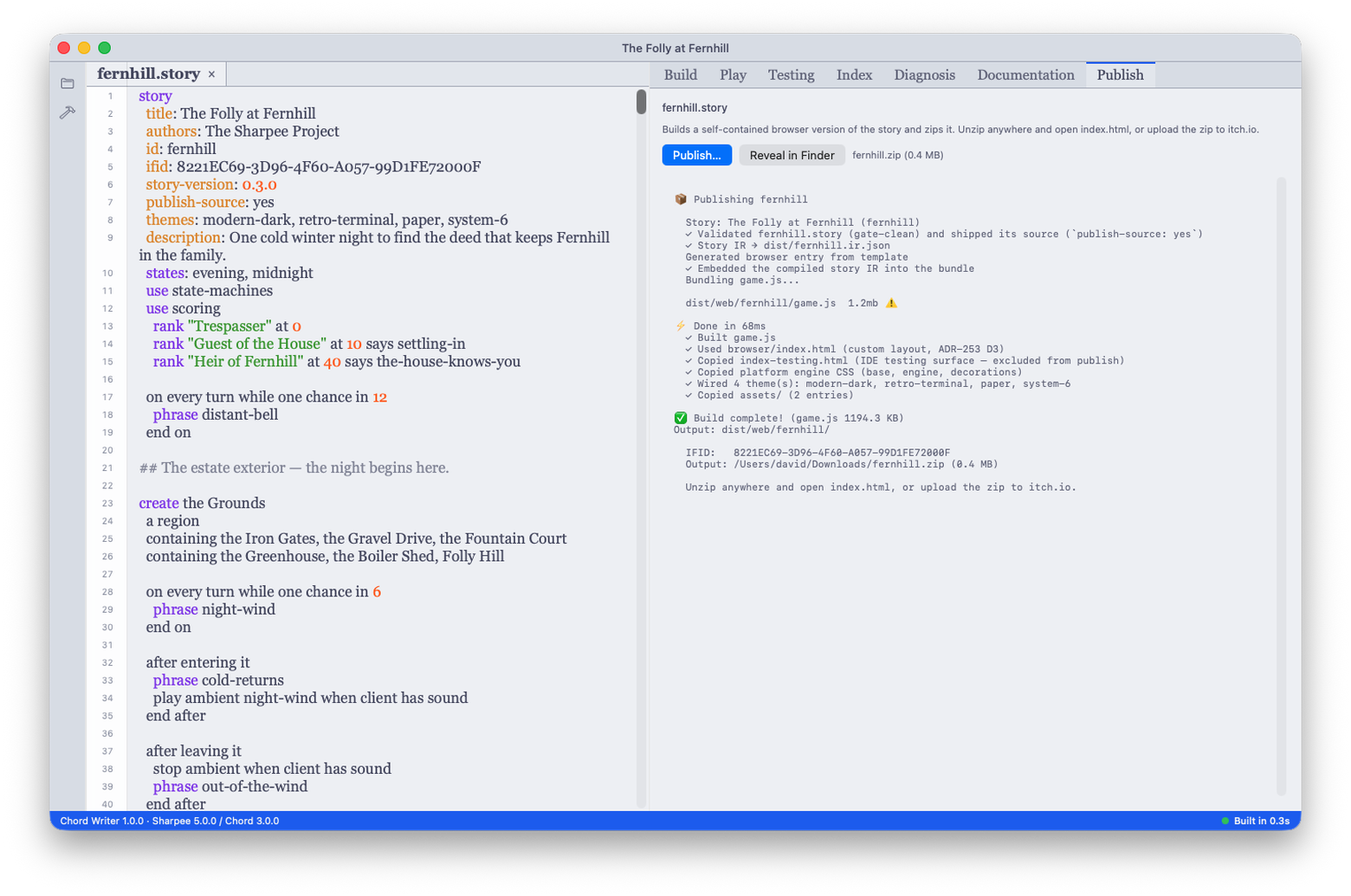
Build → Publish… asks where the zip should go, then runs. The Publish tab streams the toolchain's own output while it works, and on success shows you the artifact's path with a Reveal in Finder button.
Publish has no keyboard shortcut, and that is deliberate. Build is a loop step you hit all day. Publishing is something you decide to do.
What has to be true first
Two things, both checked by the toolchain rather than by the app:
- The story compiles. Problems tells you this continuously, so you will know long before you publish.
- The story has an IFID, the identifier that distinguishes your work from
every other piece of interactive fiction. Yours does: Chord Writer gives a
story its IFID when it creates it, and keeps it in
<story-name>.config.json. The only way to reach this refusal is to publish a story whose config file went missing — restore it from version control, because publishing under a freshly minted identifier would make your story a different work to every archive that already knows it.
The artifact opens from a file
The published zip runs by double-clicking index.html. It does not need a web
server, and it does not need to be uploaded anywhere first.
This works because the build embeds your story already compiled. Nothing on the page fetches anything, and there is no compiler in the bundle. A page that loaded its story at startup would work over HTTP and fail on a double-click, because a browser will not let a local page fetch a local file.
Shipping your source
By default the zip does not include your .story file. Publishing your
source is a choice you make, not a default you have to notice.
To include it, add publish-source: to your story header:
story:
  title: The Orchard
  author: A. Writer
  publish-source: yes
It accepts yes or no (true and false also work). Anything else is a
compile error rather than a silent fall back to the default.
When you do ship it, the file keeps the name you gave it. the-orchard.story
arrives as the-orchard.story.
Feelies
A feelies/ folder beside your story is copied into the artifact as a folder,
with its structure intact. It is for the things that come with a game rather
than things the game consumes: a map, a letter, a newspaper clipping.
This is distinct from assets/, which holds media your story itself refers to
and which is copied flat.
Files beginning with a dot are skipped in both folders, which is why a new
project uses .gitkeep to keep them in version control rather than a README
that would otherwise ship to players.